 StudyScript
Every syllabus.
One plan.
No all-nighters.
StudyScript reads your syllabi and turns them into a day-by-day plan that fits around your classes, job, practice and plans. So you always know what to do today, and big weeks never sneak up on you.
How it works
From syllabus to plan in a minute
No setup spreadsheets, no copying dates by hand.
Add your syllabi
Snap a photo or pick the PDF. Every exam, paper and quiz, with what it's worth, in about 10 seconds a class.
Get your plan
Big assignments become small steps, placed in your real free time, always before the due date.
It learns you
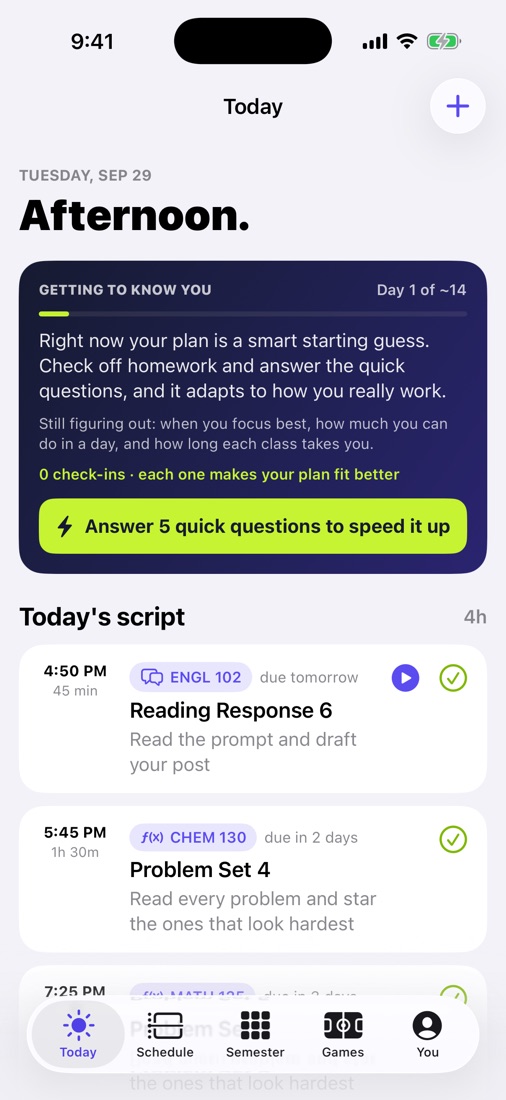
Check off homework and StudyScript learns when you focus and how long things take you. In about two weeks, it's built around you.
Schedule
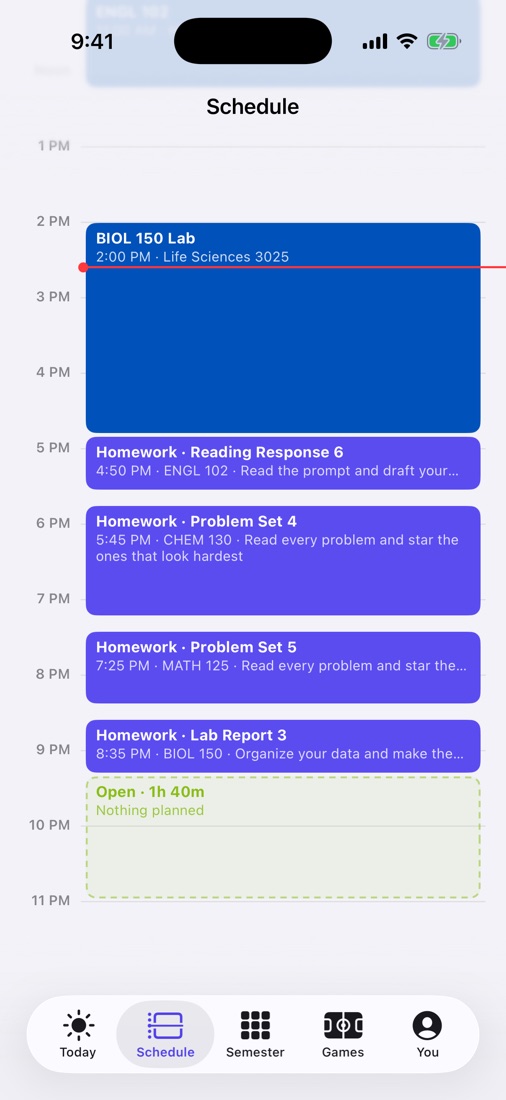
Homework that fits your real week
StudyScript puts each piece of work into your actual open time, around classes, labs, work shifts and practice. Open time stays open, and you can see exactly how much you have.
- Every block says why it's there
- Move anything with a tap, never past the due date
- Check it off and the rest of the plan adjusts
Semester
See hard weeks coming in September
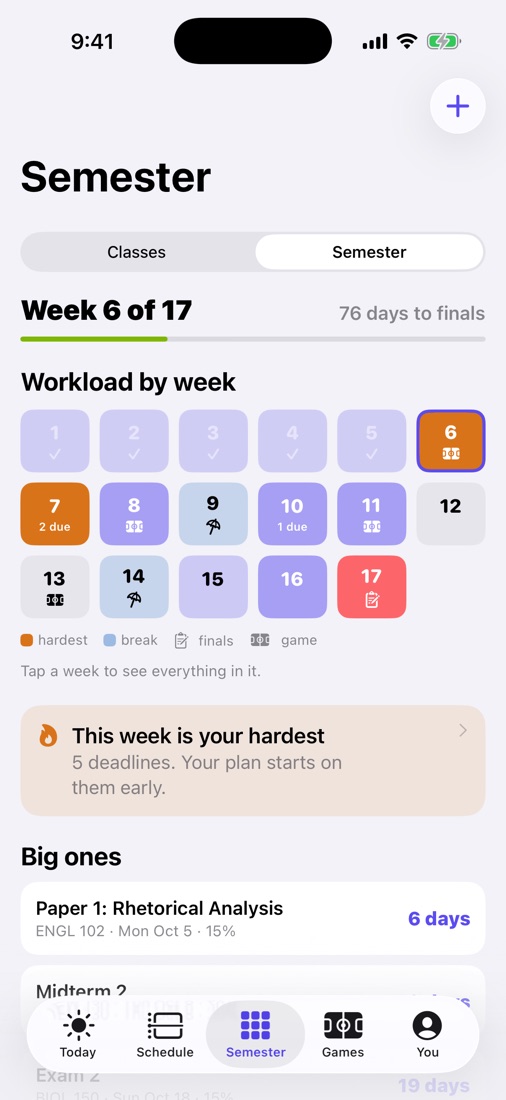
Your whole semester, week by week. When three exams land in one week, StudyScript flags it early and starts the work sooner, so the week isn't a crisis.
- Workload for every week of the term
- Your school's breaks and finals already in
- Tap any week to see it day by day
Classes
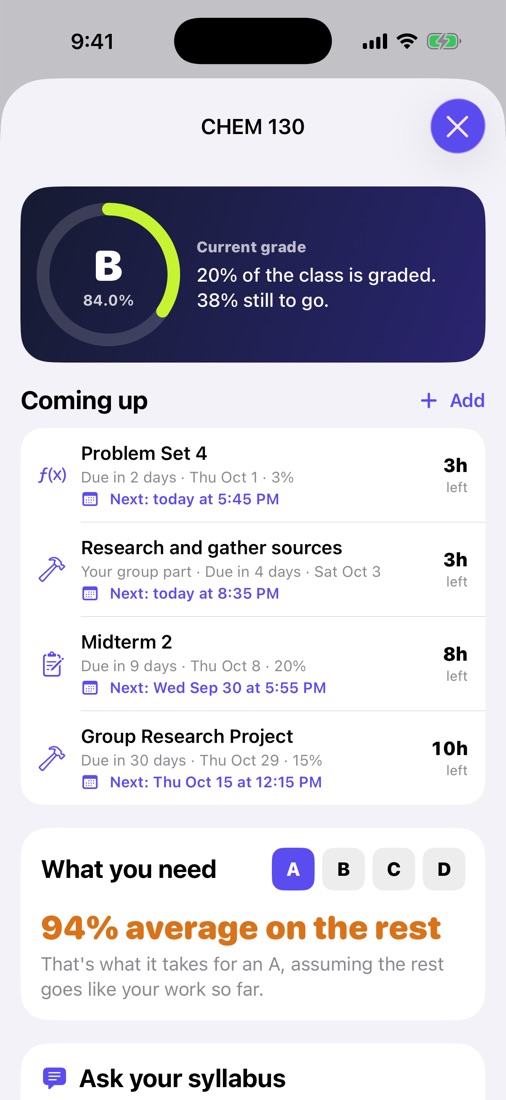
Know where every grade stands
Each class shows your current grade, what's coming up, and exactly what you need on the rest to hit your goal, final included.
- Grades from your syllabus weights
- "What you need" for an A, B or C
- Ask your syllabus anything: late policy, office hours
Focus
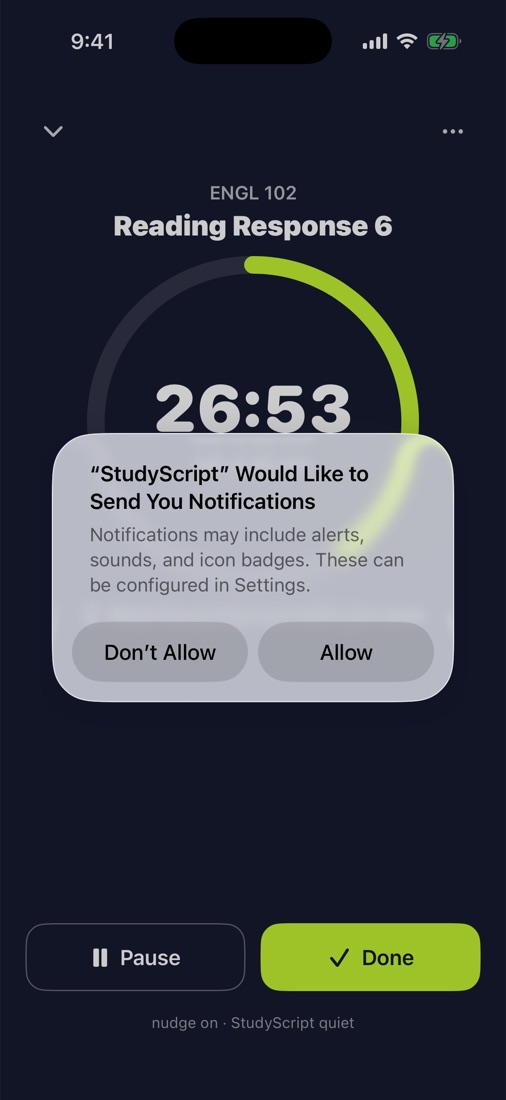
Focus without your phone fighting you
Start a timer on any homework block. Turn on Do Not Disturb while you work, get a nudge if you wander off, and StudyScript logs your real time automatically.
- Breaks at your own focus length
- Your choice what gets silenced
- Real times make your plan smarter
Why not just use Canvas?
Your class site lists work.
StudyScript plans it.
| Your class website | StudyScript |
|---|---|
| Lists what's due | Plans when to do it, in small steps |
| Shows the next few days | Shows the whole semester, hard weeks included |
| One class at a time | Every class in one plan |
| Doesn't know about your job, practice or plans | Works around your real week |
| Grades after the fact | What you need to hit your goal |
Keep turning work in on your class site. StudyScript connects to Canvas, Blackboard, Brightspace, Moodle and Google Classroom with a calendar link, never your password.
Honest about learning you
For the first week or two your plan is a smart starting guess. Every check-off teaches it, and it tells you what it learned.
Private by design
Your plan lives on your phone. No school passwords, no ads, no tracking, and we never sell data.
Still make the game
Optional: follow your teams and StudyScript gets the work done early so game day stays free.
Get StudyScript
$9.99 a month. Everything included.
StudyScript is coming to the App Store soon. Want early access? Email us and we'll send you an invite.
For parents
Paying for your student's StudyScript?
See what it does, how it helps, and how billing works. Same $9.99/month, cancel anytime, and it's not a tracking app.
Questions
Does it work at my school?
StudyScript reads syllabi from any college. At supported schools it also knows the academic calendar, finals schedule, game days and campus events, and more schools are added over time.
Is this cheating?
No. StudyScript never does your work. It plans when to do it and helps you follow through.
What if it reads a date wrong?
It flags anything it isn't sure about so you can check it, and you can edit any date. Your syllabus is always the final word.
Can a parent pay?
Yes. The app writes the text for you with a link; when they pay on the web, StudyScript unlocks on your phone. Same price.