 StudyScript
Your campus runs on you.
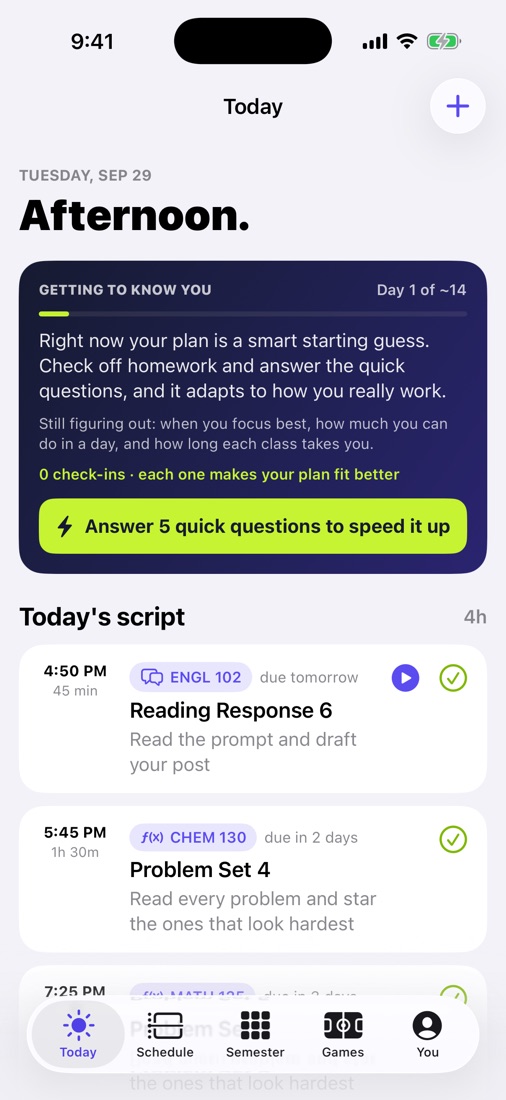
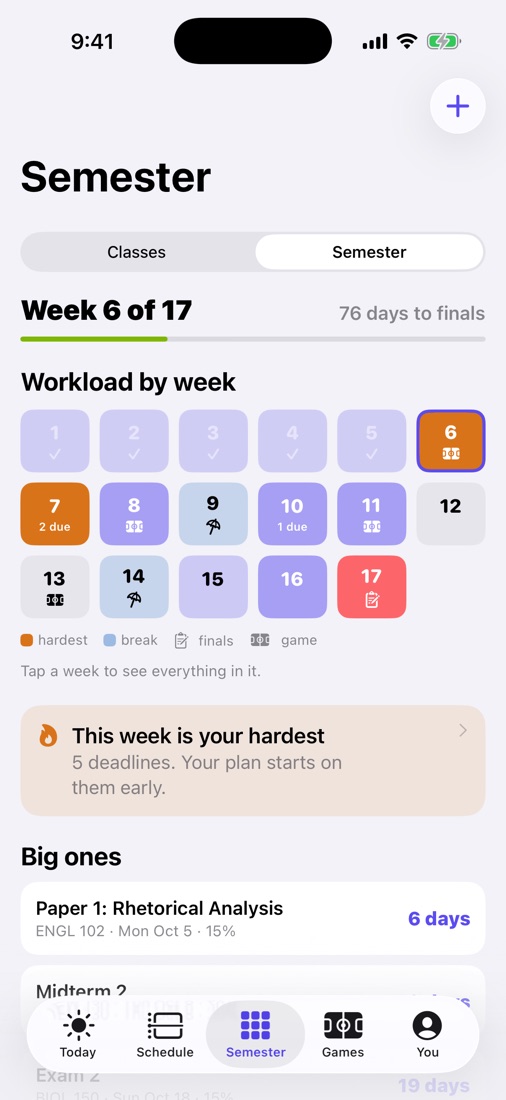
You already know who's drowning in deadlines. Show them StudyScript on your own phone, share your code, and be part of the team building it.
How it works
Three steps. No quotas.
Talk to the people you'd talk to anyway. We'll give you what you need to show them.
Apply
A few quick questions. We read every application and reply within a couple of days.
Get your code and demo
Your own code, plus a demo mode that shows the full app, even reading a friend's real syllabus.
Share it
Friends enter your code when they subscribe, or before they ask a parent to pay. We'll share the details when you're accepted.
Who can apply
Undergrads who know their campus.
You're 18 or older, you're in college now, and people already come to you for advice.
The ambassador rules
- Say you're a StudyScript ambassador whenever you post or talk about it.
- Follow your campus's rules about promoting, flyers and dorms.
- No spam, no fake accounts, no pressure. Only share with people who'd actually use it.
- Your own subscription doesn't count toward your code.
- We can change or end the program, or remove an ambassador, at any time. See section 6 of the Terms.
Application sent
Thanks! We read every one and reply within a couple of days from support@studyscript.app. Check your spam folder just in case.
Questions
Do I need to pay for StudyScript to be an ambassador?
No. You'll get demo mode either way, so you can show friends the full app on your phone.
How do friends use my code?
They type it in on the Subscribe screen, or on the "Have a parent pay" screen before the text goes out. It's saved to their account, so it counts either way.
Does my code give my friends a discount?
No. StudyScript is the same price for everyone.
Can I post about it on social media?
Yes. Just say you're a StudyScript ambassador in the post.
Do I need an iPhone?
Yes, for now. StudyScript and demo mode are iPhone apps.